Buying Guide・2019-03-29
[Must-Know for AV Professionals] Essential Guide to HDMI Signal Extension (Part 1)
Industry Insights [Written by Pre-sales Engineer]
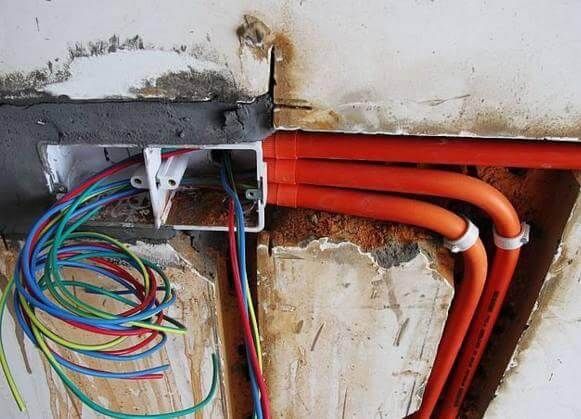
Under what circumstances do you need to purchase an HDMI extender? Generally speaking, there are several possible needs: 1) Extending to the other end through conduits:
Basically, it is very difficult to process and solder HDMI connectors by yourself. The high density of up to 19 pins is not something that can be done with general soldering technology, and the connectors are not easy to purchase. Because of low demand, they are not easily found on the market. Under such circumstances, an extender must be purchased (Image source: Toutiao) 2) Cannot use cables for extension:
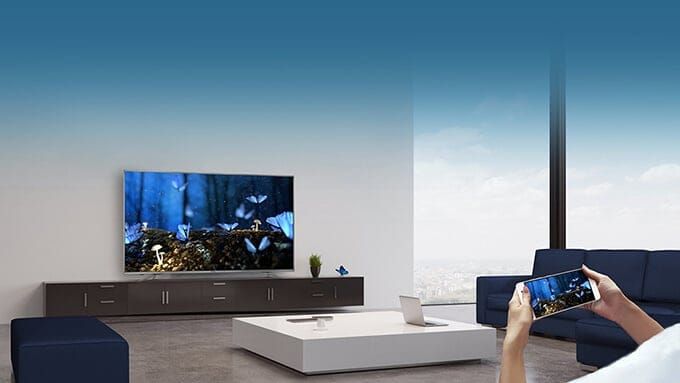
Some environments may not allow cabling, so a wireless HDMI extender is needed for signal extension. However, we recommend cabling as much as possible, choosing a wireless extender only when there is absolutely no other way. Under current environments, if there is too much signal interference, choosing an unsuitable wireless extender can easily lead to signal instability. We also suggest using wireless transmission only within the same space, as the signal will decay severely once separated by a wall or a room. Video signal transmission is very different from data transmission. In data transmission, lost packets can be retransmitted (the TCP/IP concept); however, if video packets are lost, retransmitting them is pointless because the time has already passed, and receiving past video packets is useless (similar to the UDP concept). Therefore, ensuring smooth data transmission is essential for smooth transmission performance. After all, unlike watching online videos or live streams, we cannot afford latency buffering. Under HDMI transmission, real-time transmission is required, leaving no room for buffering.
(Image source: BENQ official website) 3) Long-distance extension required:
At what distance do you need to purchase an extender? Basically, for resolutions below 1920 x 1080@60Hz 8bpc, a standard 20-meter 24AWG HDMI cable can be used directly for extension. However, when purchasing, please note that the lower the AWG (American Wire Gauge) number, the thicker the cable. 24AWG is already quite thick, and manufacturers generally do not produce cables lower than 24AWG. Additionally, pay attention to whether the HDMI cable has a built-in booster chip. Some cables on the market embed a booster chip inside the HDMI connector to make the cable thinner. If you use an HDMI cable with an embedded chip, you must pay attention to the installation direction; if the cable is installed in the wrong direction, no image will be displayed. Standard cables without embedded chips do not have directionality or compatibility issues. If you require 4K resolution, it is recommended not to exceed a length of 5 meters. Even when buying a 5-meter cable, you should choose a wire gauge of at least 26AWG or lower to ensure signal stability. If 1080P@60 exceeds 20 meters, or 4K@30 exceeds 5 meters, using an HDMI extender is highly recommended.
4) When video distribution is required:
Basically, many commercial models use a single signal source to distribute and display to many places, such as hypermarkets, department stores, transportation hubs, airports, banquet halls, etc. One-to-many display can utilize extenders with distribution functions to extend and distribute signals. Choosing IP-based transmitters offers more flexibility and fewer limitations in multi-point transmission applications.
Station Timetable Application (Image source: Digitimes)
Cinema schedule and trailer advertisement application (Image source: Ambassador Theatres official website)
Hotel Digital Signage Application (Image source: Evergreen Laurel Hotel Official Website)
After understanding when an HDMI extender is needed, you can choose the extension method based on your environmental applications and needs. The next article will share some selection tips with you, so please stay tuned to BXB's column articles!