Buying Guide・2019-05-02
Must-Knows of HDMI Signal Extension (Part 2): How to Choose an HDMI Extender | BXB Electronics
Industry Insights
Remember the HDMI signal extension knowledge sharing in the previous article? After understanding when you need an HDMI extender, you can choose the extension method based on your environmental application and needs. This time, we will share with you how to choose the most suitable extension method.
There are many ways to extend HDMI. First, choose a cable that is suitable and easily available for you. The transmission technology of the cable will determine the extender's transmission distance, image quality, and attached transmission types. Attached transmission types include support for Infrared (IR), USB, RS232, AUDIO, CEC, HDCP, etc.
Network Cable
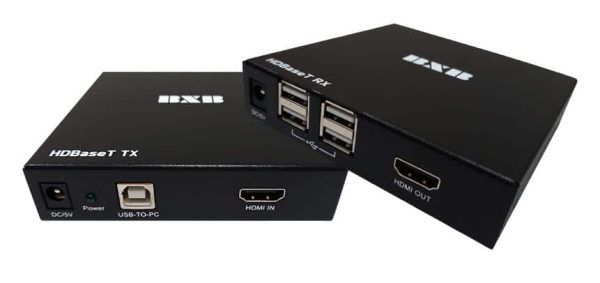
About 90% of HDMI extenders on the market use network cables as the transmission medium. Most extenders utilizing network cables employ various technologies to transmit HDMI signals, such as TCP/IP, HDBaseT, SDVoE, and proprietary transmission methods defined by chip manufacturers.
BXB HEP-150UT/UR HDBaseT 4K HDMI+USB Signal Extender
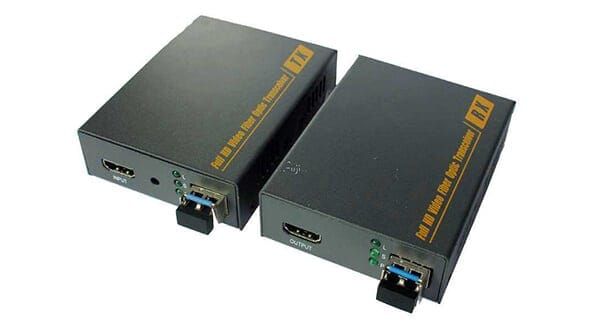
HDMI Optical Fiber Converter/Extender (Image Source: Digital Apple) Optical Fiber Cable
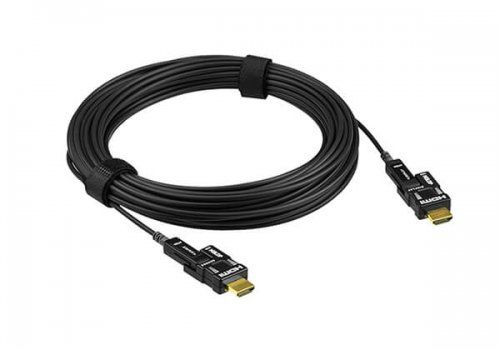
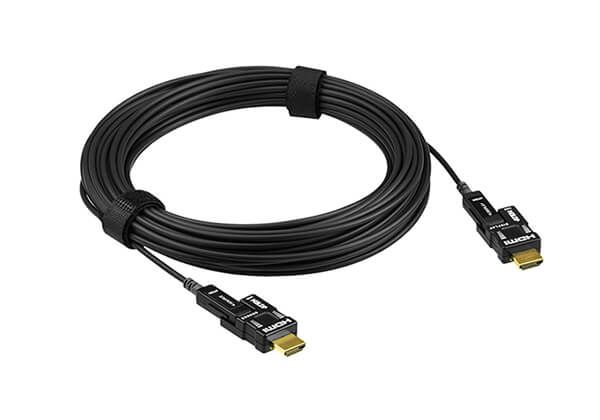
Most extenders that use optical fiber are for transmission distances greater than 200 meters. With the rapid development of optical fiber in recent years, the price of fiber optic cables is now almost comparable to that of network cables. The main challenge lies in connector splicing. If the conduit space for cabling is sufficient and the distance is pre-calculated, you can order pre-spliced optical fibers directly from the factory for installation, which reduces this hassle. Another common method is converting optical fiber into HDMI modules and selling them in fixed lengths ranging from 20 meters to 500 meters. These are mostly referred to as HDMI fiber optic cables, which actually embed chips in the HDMI connectors on both ends to transmit HDMI signals. If you want point-to-point long-distance transmission, this is an excellent choice.
HDMI Fiber Optic Converter/Extender (Image source: Digital Apple)
4K HDMI 2.0 Active Optical Cable (Image source: ATEN official website) Coaxial Cable
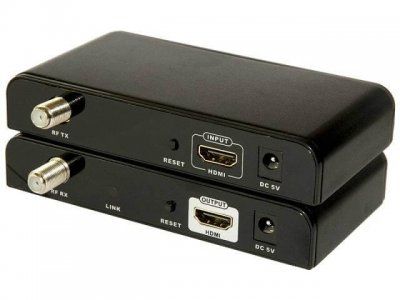
Coaxial cables, commonly used in the past for cable TV or antennas, can also be used to transmit HDMI signals, but they are not easily found on the market. There are roughly two transmission methods for coaxial cables: one is signal transmission through SDI characteristics, and the other is using DVB-T (Digital Video Broadcasting-Terrestrial) technology. Just like watching TV, the encoder modulates the HDMI signal into a set TV channel, and the decoder on the other end selects that channel to decode and display the image. However, because this technology is not as convenient as other alternatives, has more complex setup procedures, and suffers from signal compression latency issues, it is less widely used.
HDMI Coaxial Extender (Image source: DIYTrade) Wireless Transmission
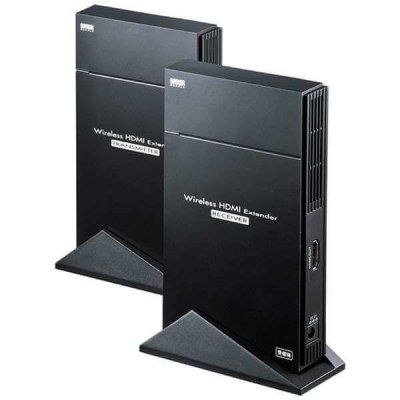
Different chip manufacturers have different wireless transmission protocols, and different wireless transmission technologies operate on different frequency bands, resulting in varying quality and performance. Using 2.4G transmission is highly susceptible to interference from other devices operating on the same frequency band in the current environment. 5G transmission has a shorter transmission distance and poorer penetration. 60G transmission offers good performance, but the unit price is not cheap. Additionally, common wireless presentation clickers/dongles require software to run, which is different from what we actually refer to as an HDMI extender. For example, if a mobile phone has a dedicated app installed, we can encode and transmit your screen to a receiver box through this app. The receiver box then decodes the screen sent from the phone and outputs it via HDMI. This transmission method consumes phone performance and requires an app to function properly. Similar to the common practice of using an iPhone's built-in AirPlay to transmit to an Apple TV box, this type of transmission cannot strictly be called an HDMI extender. That being said, wireless transmission also requires NCC certification to be sold, and the transmission distances advertised for wireless transmission mostly refer to being within the same room. Once separated by a wall, the performance is significantly reduced. Therefore, wireless transmission solutions are more suitable for use within the same space.
Wireless HDMI Extender (Image source: BicCamera.com) HDMI Repeater
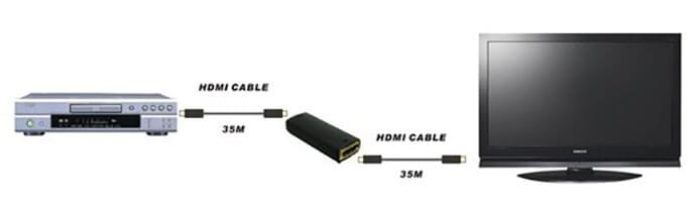
This equipment achieves signal extension by connecting a signal booster repeater through an HDMI cable, and then connecting another HDMI cable. This method is actually not low-cost, because long HDMI cables are inherently expensive, plus the cost of the repeater. Moreover, the selected HDMI cables cannot be of poor quality; the better the quality of the matching HDMI cables, the longer the daisy-chain transmission distance will be, thereby achieving the maximum effect.
HDMI Extender Repeater (Image source: Yahoo Kimo Auction)
HDMI Digital AV Signal Repeater/Amplifier (Image source: Rakuten Ichiba)
With so many types of extender chips, how do you choose the right one for your application?
Confirm the required extension distance?
Is there heavy current interference or electromagnetic interference in the transmission environment?
Do you have strict requirements for HDMI video transmission clarity?
Are you concerned about HDMI video transmission latency?
Basically, expensive chips will be reflected in the price of HDMI extenders. If you have high requirements for image quality and cannot tolerate any latency, it is recommended to purchase an HDBaseT extender. However, HDBaseT chip extenders are relatively high in price and less flexible in application, making them difficult to apply in more diverse solutions. There are many high-end projectors on the market with built-in HDBaseT inputs; you can directly purchase an HDBaseT transmitter to transmit to the projector, thereby saving the cost of the receiver on the projector side. If you want an extender with longer distance and better anti-interference capabilities, you can use a TCP/IP type transmitter (which can transmit through network switches). There are many types of chips in this category, so you should ask suppliers about relevant characteristics, such as whether they use 100Mbps or 1Gbps transmission rates, whether an L2 managed switch is required, whether there is video latency, and whether there is video compression. After all, different chips have different characteristics. For products that do not specify the transmission method, they can mostly only be evaluated by price or experience. Because this is not a common transmission method, its characteristics depend on the performance of the chip transmission. Most of these are lower in price, and you will only know their characteristics after using them.
The above is a brief introduction, and we hope it answers some of your questions regarding usage. If you have any questions, please feel free to contact BXB's R&D Strategy Department (+886 7 9703838#57 Mr. Alan Chen).
BXB Electronics provides professional HDMI signal extenders, click to learn more