Product News・2020-06-12
Pandemic Remote Work Plan Guide: Enhancing Remote Work Planning, Strengthening Corporate Management Efficiency!

Product News
With the rapid spread of the COVID-19 pandemic, companies have implemented remote work plans to strengthen epidemic prevention.
. However, for companies that have never implemented remote work, they are often at a loss regarding management and tool procurement, and even believe that remote work is inefficient.
In fact, increasing corporate efficiency for remote work is very simple. As long as remote work management goals are well-planned and a complete tool plan is in place, remote work management can be made very easy!
What is remote work? Recently, due to the pandemic,
WFH (Work From Home)
strategy is in full swing. However, some people think that remote work is just a free pass to work easily from home. In fact, this is not the case. Before implementing remote work, there must be comprehensive management planning and sufficient online tools to double the efficiency of remote work.
Everyone has probably experienced lag during video conferences. That is because the tools are not powerful enough and the internet speed cannot keep up. Simply by switching to a good video equipment system and proposing an overall management plan, you can create a high-end remote working and communication experience.
Remote Work VS Office Work Comparison Remote Work Office Work Time Management Self-controlled According to company regulations Communication Use video conferencing Face-to-face direct communication Data Storage Upload to cloud Upload to cloud Message Exchange Instant messaging with high response rate Face-to-face reply Work Efficiency High flexibility High efficiency, no flexibility Work Strategy Pre-simulation Depends on the company Work Management Detailed measures required According to company regulations Summary
Highly flexible, allowing employees to make full use of their own time
Easy to manage but inflexible, forcing employees to adapt to the company
How to Increase Remote Work Efficiency? Sharing Four Key Points to Create an Immersive Video Conferencing Experience:
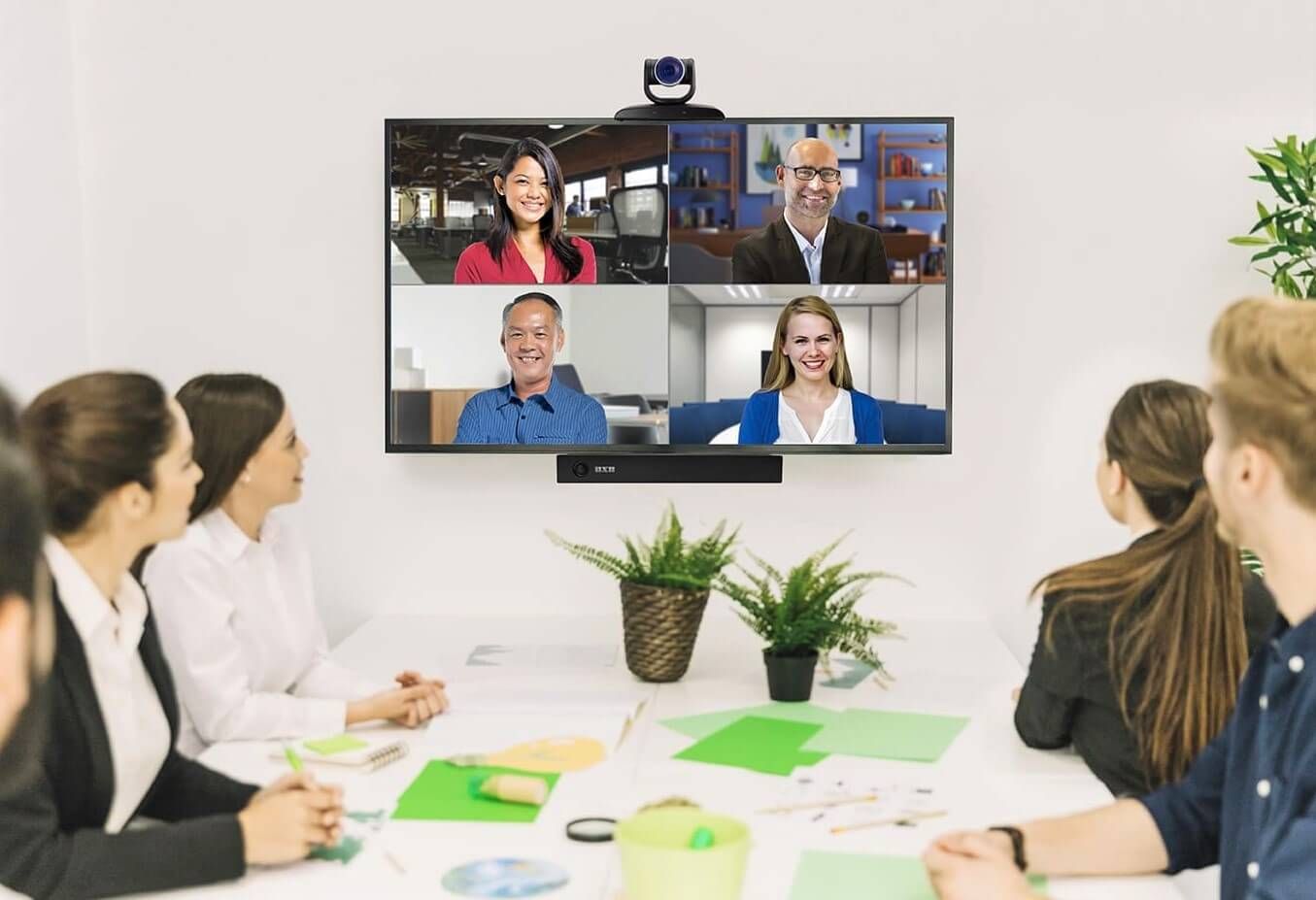
The screen needs to display both the participants and the presentation content simultaneously. In addition to seeing each other's expressions and body language, everyone can receive synchronized information, enabling face-to-face-like communication. Meetings can also be recorded and stored in the cloud, allowing those who cannot participate to quickly catch up on progress without missing any information.
Ensure that hardware and software tools for communication and collaboration operate normally:
A smooth network environment and complete video assistance equipment are essential conditions for remote work. Therefore, network and equipment technical tests must be completed before the meeting, and a platform for teams to share and collaborate on documents remotely should be in place to enhance the smoothness of communication and collaboration.
Establish clear OKR goals and task to-do lists:
Everyone in the team can clearly know the priority and due date of their tasks, check at any time whether their to-do tasks align with OKR goals, and then regularly report progress and results to their supervisors. This helps focus work on key priorities and improve productivity.
Defining Work and Personal Time:
Establish fixed, regular working hours. Outside of these hours, except for emergencies requiring immediate resolution, try to avoid work-related messages. Additionally, creating a sense of ritual to start the workday—such as having a dedicated workspace or brewing a cup of coffee before starting—can help you effectively transition into a highly focused work mode.
Remote Work Management Plan | 2 Major Equipment Plans, Fully Prepared
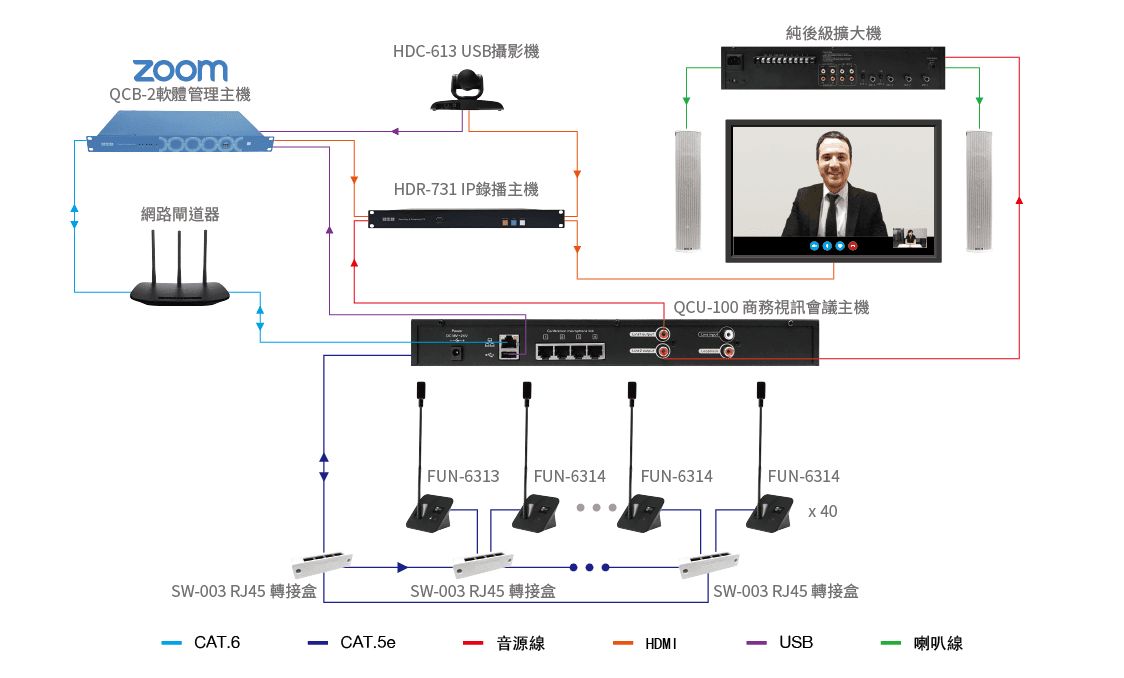
1) Video Conferencing Equipment: QCon Series _ Business Conference Video System
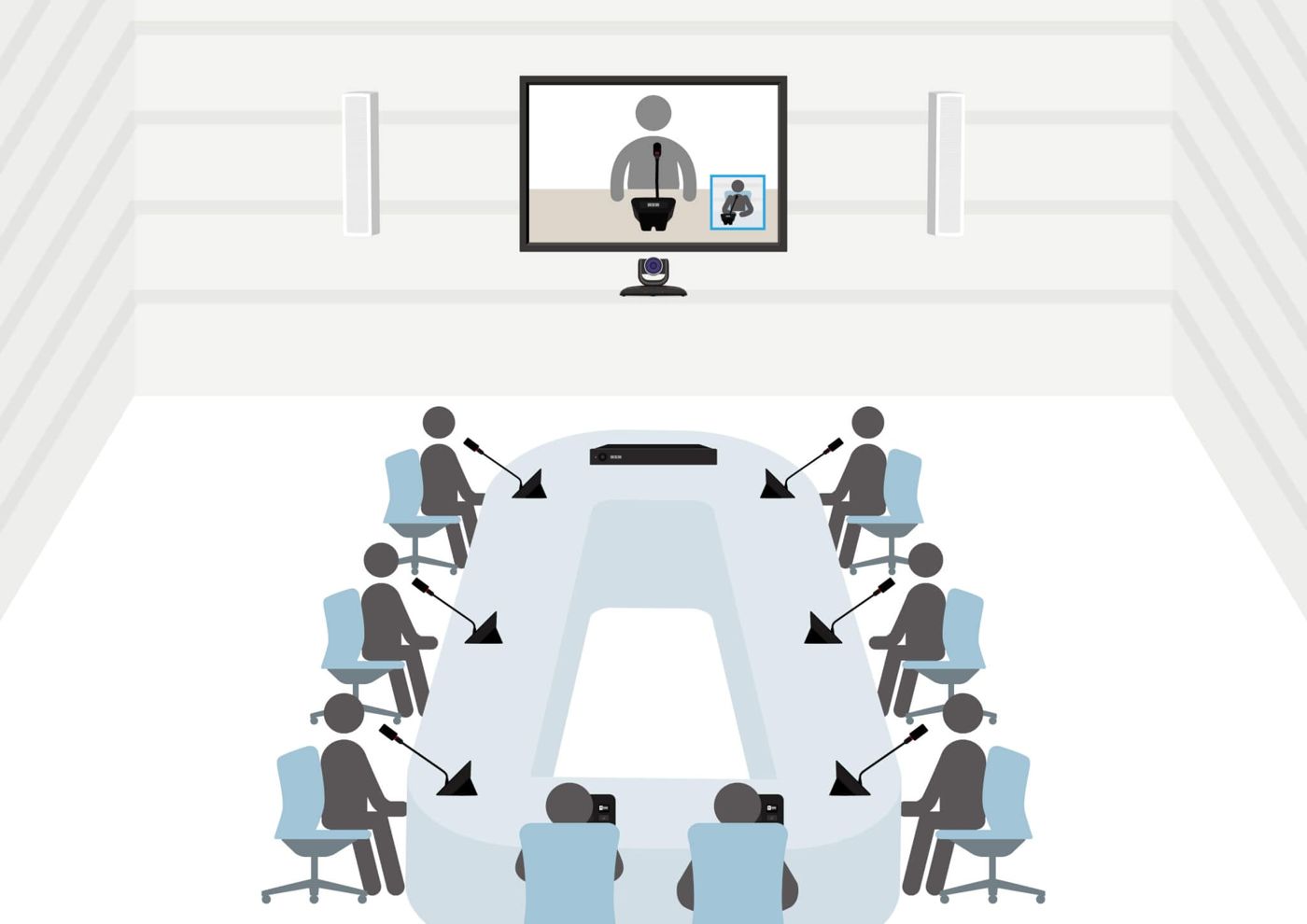
Generally speaking, most video conferencing systems are equipped with only one camera; the technology used is acoustic triangulation, and video tracking is often less than ideal. Over time, this leads to attendees not knowing who is speaking, exhausting the meeting manager. Therefore, QCon...
Active speaker auto-tracking and close-up shot functions
, which perfectly solves this problem, allowing the camera angle to track and position according to the speaker at any time.
If you want your video conferences to run smoothly without lagging, switch to this business video conferencing system! Featuring plug-and-play
USB interface, it can be connected to a PC for video software control and audio playback. It also uses personal audio pickup
, which can clearly receive the speaker's voice and eliminate surrounding noise. Simply use the mainstream software you are familiar with, such as Google Meet, ZOOM, Webex, Microsoft Teams, Skype, LINE, etc., to make video calls at any time.
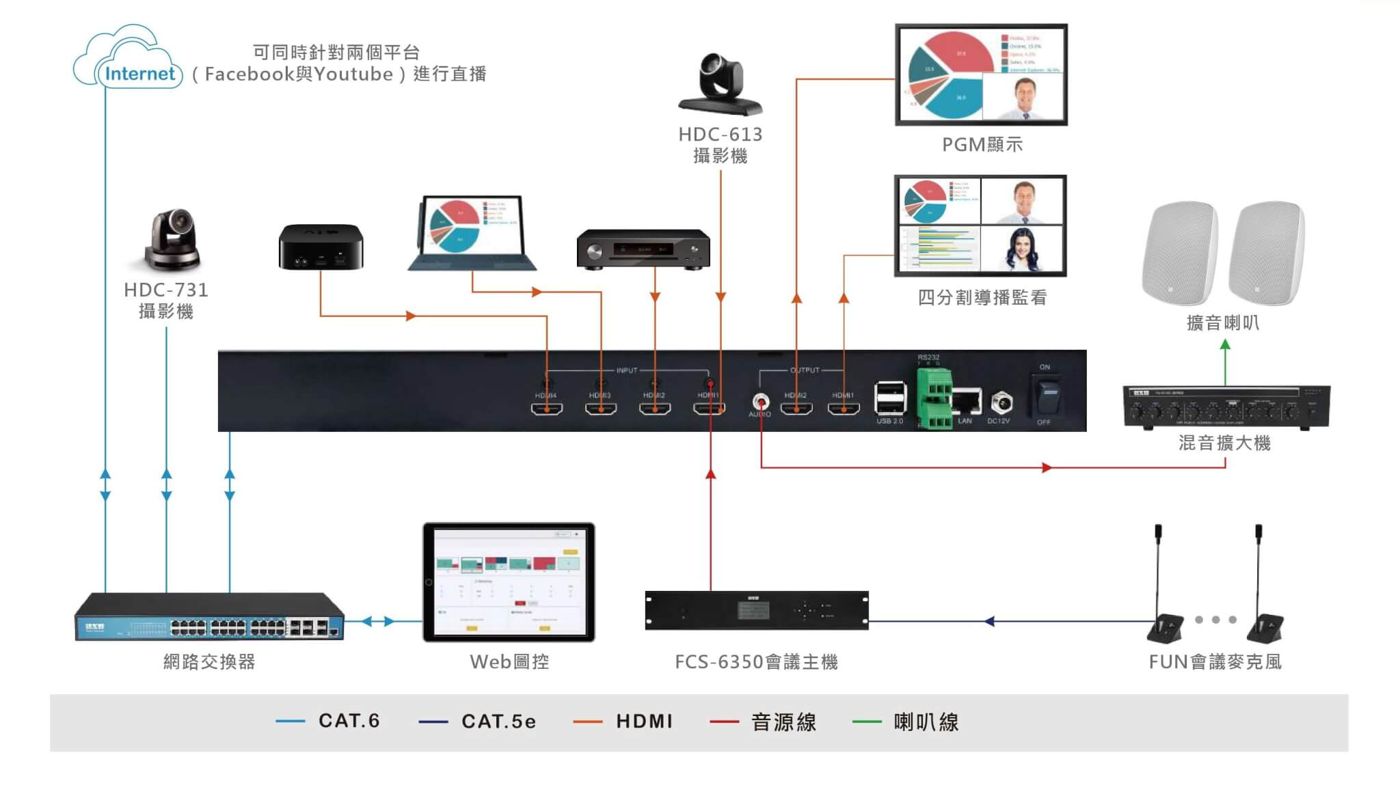
2) Streaming & Recording Equipment: HDR-731 Streaming Media Processor
This streaming media processor can collect and integrate
Features such as AV recording, live streaming, video switching, and dynamic output layout creation. It is not only easy to use, but with just a single click, you can start live streaming and recording
all in one go; it can simultaneously record and live stream 4-channel HDMI AV sources, while featuring both PGM and 4-split screen output monitoring. With a built-in 1TB ultra-large storage space, it not only allows you to seamlessly switch screens with one click but also stores a variety of live and recorded videos.
In terms of application, it is particularly suitable for
Smart AV teaching, corporate training, seminars, and live product launches
and more. It also provides integration methods such as recording, storage, and streaming. With powerful software features, it easily becomes the ultimate tool for video construction.
If you have any other questions, you can also visit the FAQ section
to find the information you need.
Now that we have introduced so much equipment related to remote working tools, would you like to have a deeper understanding of the QCon video conferencing system or live streaming and recording equipment? Please feel free to contact us anytime.
, and a dedicated representative will assist and guide you!