Buying Guide・2020-08-24
Which Business Video Conferencing Tool to Use? Comparison of 4 Online Video Conferencing Softwares and Recommended Hardware Pairings|BXB Electronics

Industry Insights
The pandemic rises again, full remote meetings, remote teaching.
For over a year, various business activities have shifted to online video conferences
..., is your organization's communication efficiency truly effective?
During this period, are you satisfied with the effectiveness of video conferencing?
Over the past period, there is a high chance that you have had experience using video conferencing. During the pandemic, people who had never used or were unfamiliar with video conferencing were forced to jump on the bandwagon, having to learn how to use various hardware, software, and video conferencing applications in the shortest possible time. Often, due to lack of preparation, unfamiliarity, or rushed video conferences, the meeting experience and business collaboration effectiveness were poor.
How to conduct a successful video conference?
In fact, the purpose of various business collaborations across organizations, companies, and regions is to be able to
Shorten the psychological distance with partners or customers
. Once the psychological distance is shortened, successful cooperation is just around the corner.
In video conferences, to shorten the psychological distance with someone far away in another corner of the world, three things must be achieved first: "
Heard clearly, seen clearly, and using video software familiar to the other party."
Video Conferencing: How to be heard clearly?
When conducting an online video conference, speaking at the top of your lungs at the local end does not mean people on the other side of the world can hear you clearly! Currently, common video conferencing modes have poor sound transmission effects, mainly due to two reasons:
1) Using a laptop directly for video conferencing. Although this method is simple and convenient, the laptop's audio pickup is poor, and the transmitted sound is compressed. Once transmitted to the remote end, besides being distorted, the audio sounds flat and thin, making it difficult for listeners to concentrate, which in turn greatly reduces collaboration efficiency.
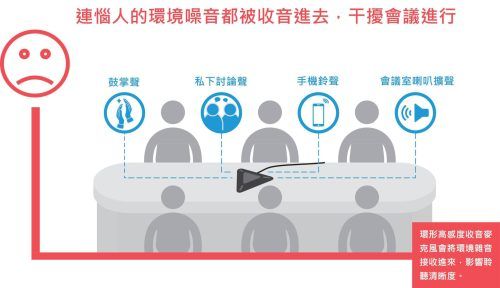
2) A common sight on many corporate conference tables is a wide-range, high-sensitivity pickup microphone. However, because the pickup is too sensitive, all sounds in the meeting room are captured, such as private discussions nearby, the sound of flipping documents, keyboard typing, incoming ringtones, etc., transmitting various noises to the remote end. The other party cannot hear clearly, feels uncomfortable, and it also shows a lack of respect.
Video Conferencing: How to be seen clearly?
Think about it, in real life, when you communicate with important partners, you will definitely maintain eye contact and interaction to make them feel respected and to confirm that they have received the message.
Have you encountered any of the following situations while using video conferencing recently?
The camera is too far away; you can only see the person but not the speaker's facial expressions.
The laptop camera angle is too low, so you always see the other person's nostrils when they speak.
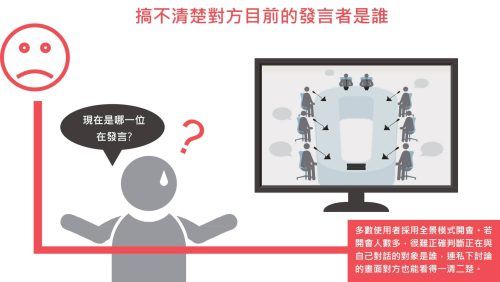
A crowd of people squeezing in front of the camera to speak makes it difficult to identify who is currently speaking.
Which video conferencing software should you use?
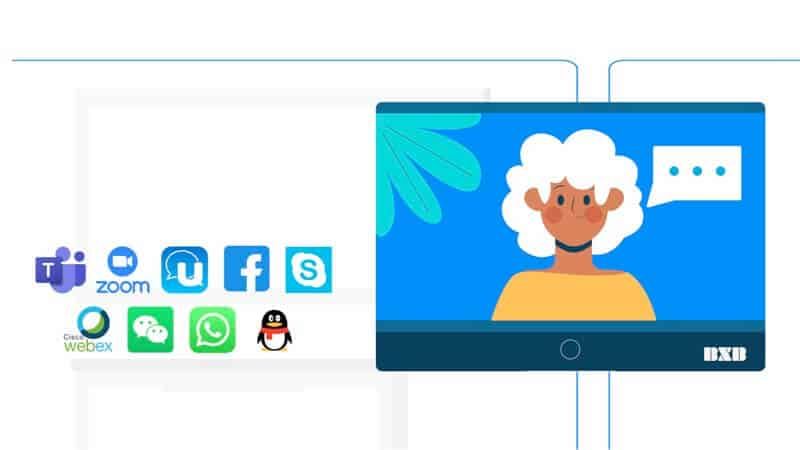
This is the most common problem in video conferencing. In the past, video conferencing was not so convenient, requiring the installation of specific hardware and software, and some even had very complex video conferencing systems such as point-to-point, point-to-multipoint... Today, the mainstream is to use cloud video conferencing software, such as Zoom,
Microsoft Teams、Cisco Webex、Google Meet、Goto Meeting、Jitsi、Skype、Line、JioMeet
...etc.
The following lists the 4 most widely used business video conferencing software and compares their pros and cons: Zoom
Microsoft Teams Cisco Webex Google Meet Host Account Required Account Required Account Required Account Required Participant
No account or software download required; join directly via URL
No account or software download required; join directly via URL
No account or software download required; join directly via URL
No account or software download required, join directly via URL Free Version Time Limit Temporarily lifted 40-minute limit Unlimited 50-minute limit Unlimited Fixed Meeting URL Yes No Yes
Yes, using Google Calendar fixed screen sharing Yes Yes Yes Yes Who can share screen Host control Host control Host control Anyone Breakout rooms Yes Paid version only Paid version only No Ease of use ★★★★★★★★★★★★★★ Feature richness ★★★★★★★★★★★★★ Information security ★★★★★★★★★★★★★★ Advantages
Simple interface and easy to use. Ideal for quickly starting business video conferences without a steep learning curve.
Based on the concept of team usage, when everyone in the organization uses Microsoft systems, collaboration will be extremely convenient
Fewer information security issues. Provides rich permission control functions, and the paid version supports up to 3,000 people in simultaneous meetings.
Connects with Google Cloud, easy to integrate with Google services like Gmail and Calendar. Disadvantages:
Previously had cybersecurity concerns; no security incidents have been reported since improvements were made
The host must have an account; if there is an ad-hoc business video conference need, the setup will be more complex
Requires time to learn how to use; with many features, it is relatively complex to operate
Fewer features compared to other video software
With so many video conferencing software options, which cloud meeting software should you use? It's simple, "
Whichever system your client is used to, you use the same one with them."
There are so many cloud conference software options, each with its own features, but their basic video functions are largely the same. In the most common mode today, as long as you have a link, perform a simple software installation, or enter a name, you can start a video conference immediately. Therefore, the best way to use cloud video conferencing is to let customers use the software they are most familiar with, so they don't have to spend time learning it. At the same time, you only need to prepare the audio and video receiving equipment to immediately start a video conference with customers, which is the best way to shorten the distance between people.
Successful Online Video Conferencing Solutions
Several years ago, BXB noticed that the technological development of cloud video conferencing would become a trend and had already developed a solution to solve the aforementioned problems—the Qcon Video Conferencing System.
。
Qcon Video Conferencing System
is a modular solution that includes a central control unit (CCU) and a PTZ camera
*And personal cardioid microphones.
*PTZ Camera
refers to the camera lens's ability to perform different functions such as panning (Pan), tilting (Tilt), and zooming (Zoom). Through PTZ cameras
, allowing the shooting angle, coverage area, and clarity to be adjusted at any time. Compared to laptops or standard WebCams, it delivers superior image capture and visual effects, making it more suitable for corporate conference rooms and multi-person meeting scenarios.
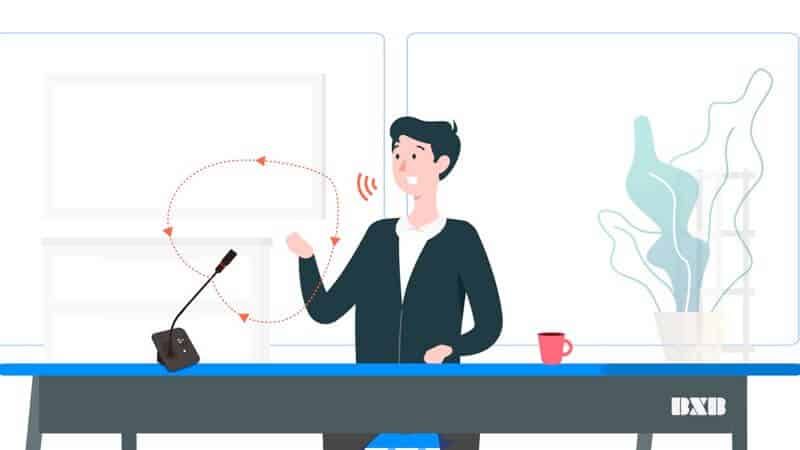
First, to address the pain point of "speaking clearly," Qcon utilizes a personal cardioid directional microphone to clearly capture the speaker's voice while avoiding ambient noise. Private discussions among other attendees can also be properly isolated to ensure privacy.
(Learn more about BXB Electronics microphone series products)
Furthermore, to address the aspect of being 'seen clearly', Qcon utilizes a control host paired with PTZ cameras
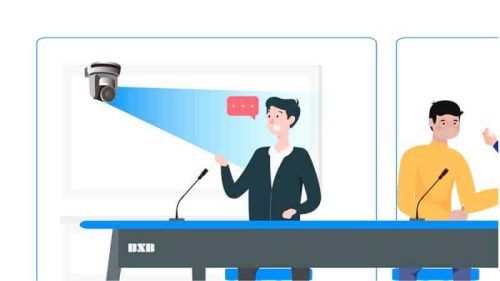
, to perform automatic tracking and close-ups of the speaker's image. When a speaker turns on their microphone, Qcon activates the camera to precisely track the speaker's image and capture a close-up; when another person turns on their microphone, the camera automatically pans to that speaker's position to capture their image and close-up.
Allowing remote participants to instantly know who is speaking and enabling "face-to-face" eye contact and conversation makes the other party feel respected while enhancing communication efficiency, which is a crucial aspect of video conferencing.
Break free from hardware lock-in and account limitations, and boost meeting collaboration efficiency! Qcon Video Conferencing System
solution, plug-and-play, compatible with various cloud video conferencing software. The signal is connected to the computer via USB from the Central Control Unit (CCU), and then cloud video conferencing software such as Zoom, Microsoft Teams, Cisco Webex, Google Meet, GoToMeeting, Jitsi, Skype, Line, JioMeet, etc., is opened. By sending the link to the participants of the online video conference, both or multiple parties no longer need to use the same hardware or be restricted by accounts, allowing them to start a cloud video conference immediately.
Using Qcon Video Conferencing System
The benefit of this is that no matter which cloud video conferencing software the remote client uses, you can switch at any time to cooperate with the client using the software they are most familiar with. They do not need to spend extra time learning how to operate the hardware and software, allowing them to focus more on business collaboration projects, making communication much more efficient.
You will eventually need an efficient video conferencing solution, so why not start using it now?
In the post-pandemic era, global business collaboration models have changed, and online video conferencing has become the norm. Your business collaborations will not be interrupted by the pandemic; instead, you will use online video conferencing even more frequently. You surely hope to leverage technology to spend less time and make business collaboration more efficient.
To conduct a successful online video conference, you need to achieve "speaking clearly, seeing clearly, and using video conferencing software familiar to the other party" to successfully shorten the psychological distance with your partners. Since you have to spend time on video conferencing anyway, why not start using a more efficient solution now that can successfully shorten the psychological distance with your clients?
After owning a video conferencing system, regularly replacing the microphone foam covers is the correct rule of use!
Through meetings of all sizes, microphones have been used by many people, and the foam covers have absorbed saliva and bacteria. Especially as the pandemic escalates, foam covers must be replaced more frequently to ensure hygiene, which must never be neglected!
BXB assists in epidemic prevention; microphone foam covers are on sale at promotional prices
! Do not hesitate, contact BXB immediately to jointly prevent epidemic prevention loopholes !
Take Action Now!
Fill out the form to request a video conferencing proposal and case studies, and a specialist will contact you one-on-one! #OnlineVideoConference #CloudVideoConference #OnlineMeeting #HowToConductASuccessfulVideoConference #ThreeThingsToDoRightInVideoConferencing
#SuccessfullyShorteningThePsychologicalDistanceWithCustomers #Qcon #FaceToFace #FaceToFaceVideoConference #PersonalCardioidDirectionalMicrophone #DirectionalMicrophone #SpeakerAutoVideoTracking #AutoVideoTracking #VideoConferenceSoftwareSelection